
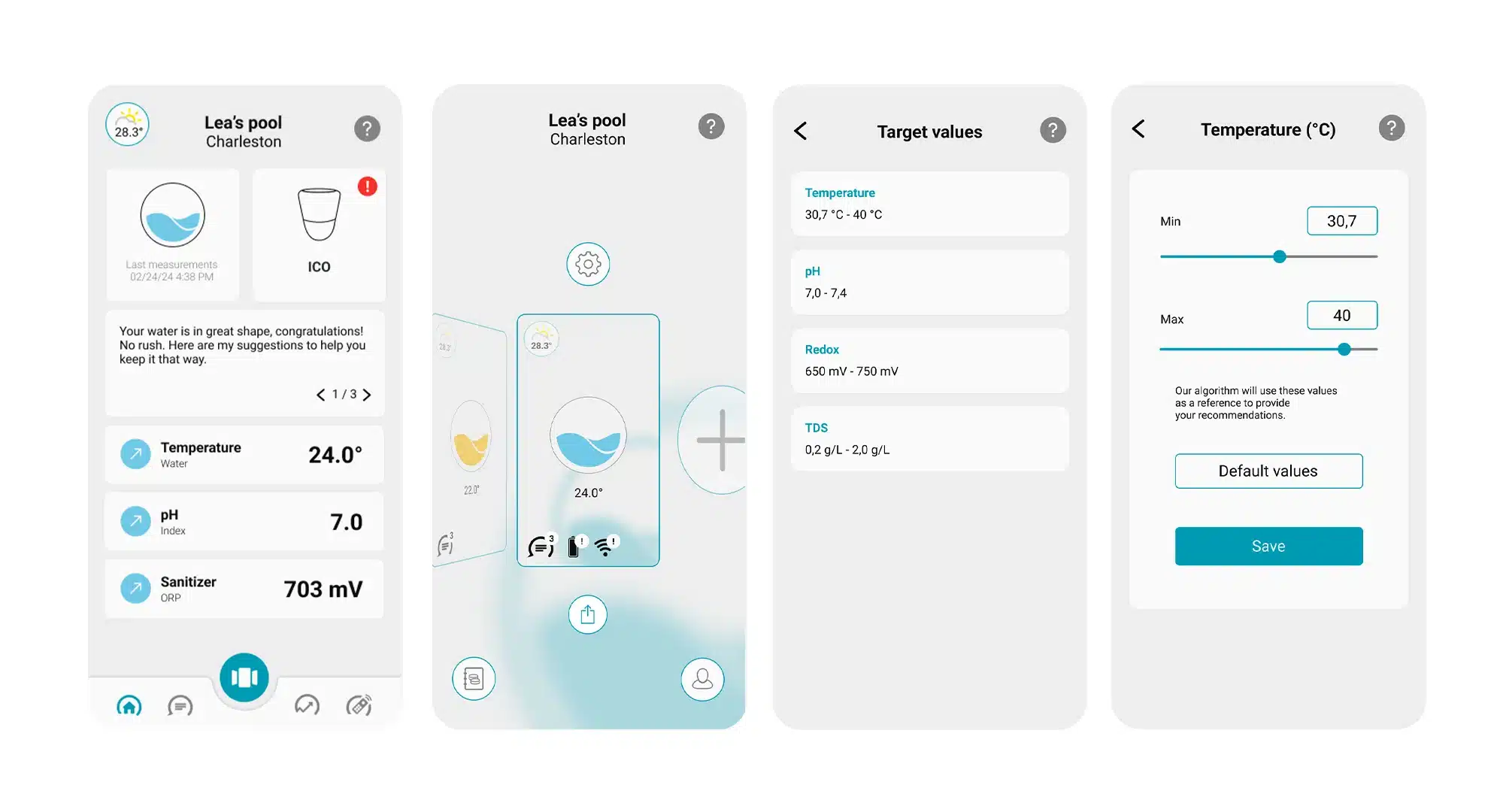
Your ICO application allows you to personalise the units of measurement (in litre or m3 for example) and set the target values for your pool. What does this do? Quite simply to optimise ICO's maintenance recommendations and advice. Achieving balanced, crystal-clear water depends on a number of criteria that are specific to your pool: weather conditions in your region, water quality and the vegetation around your pool or spa.
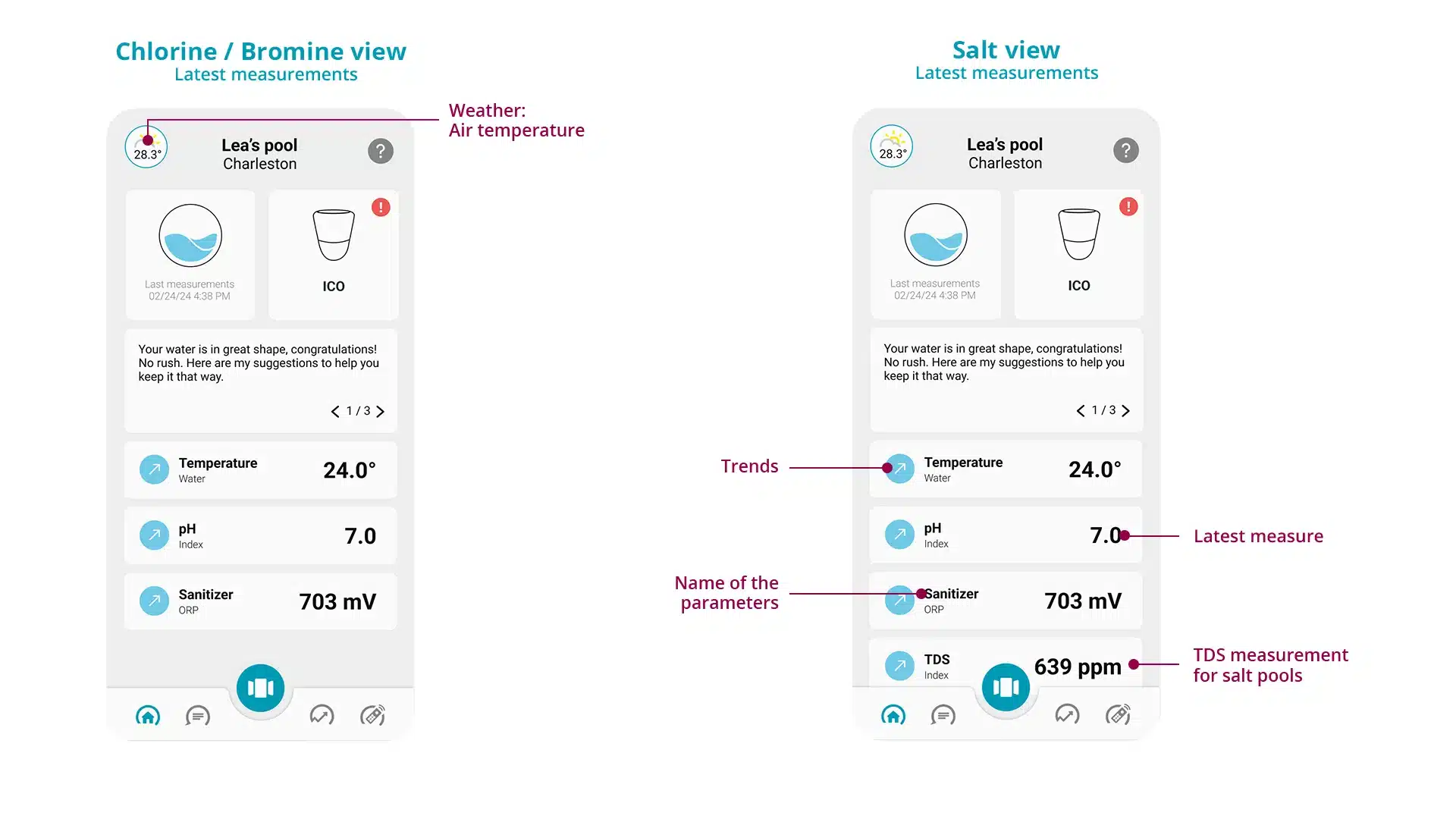
The dosage and maintenance recommendations you receive from ICO are calculated from the minimum and maximum thresholds stored in the application. Before making any changes, please ensure that the thresholds set are consistent with your pool professional's recommendations.
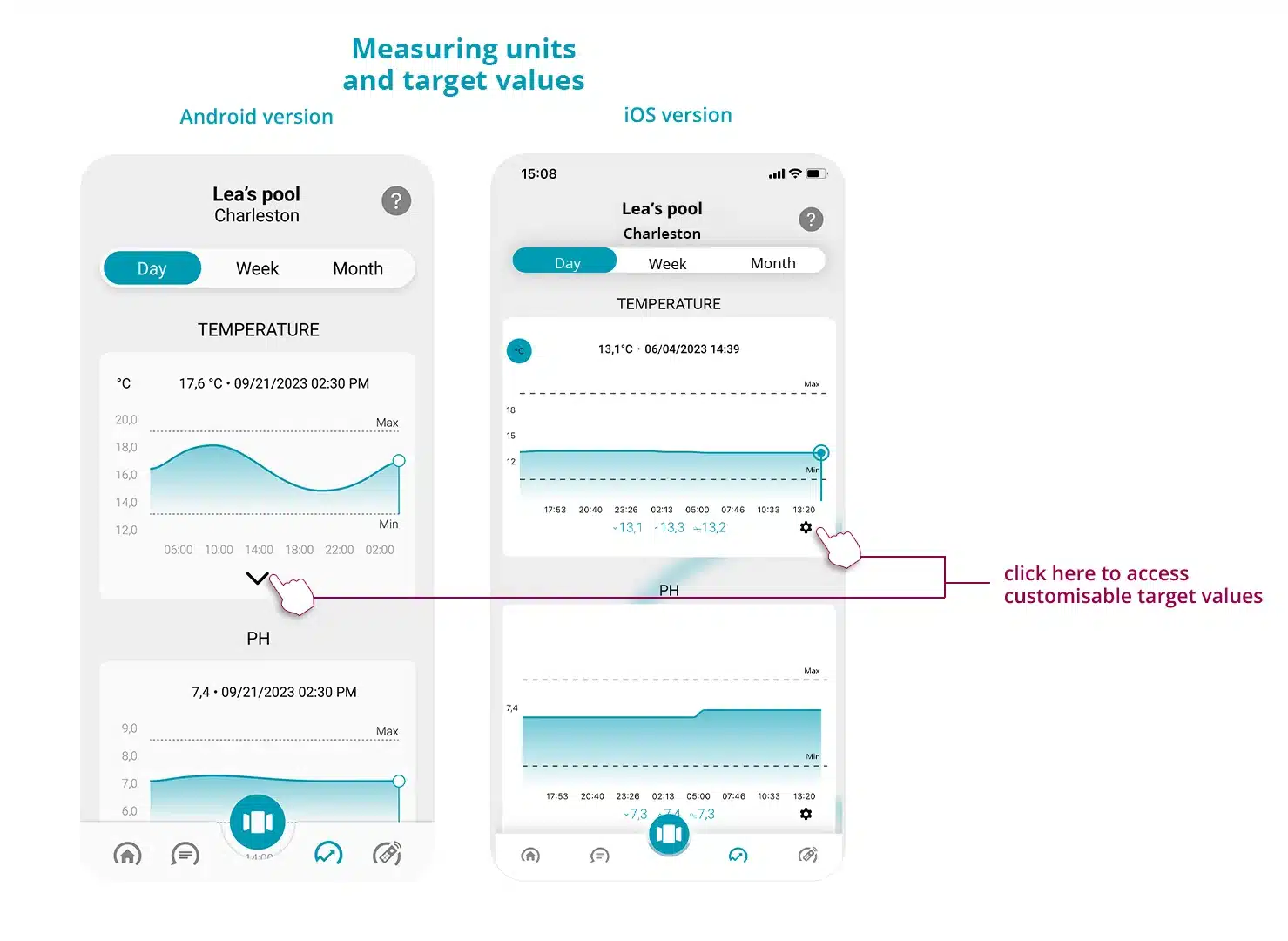
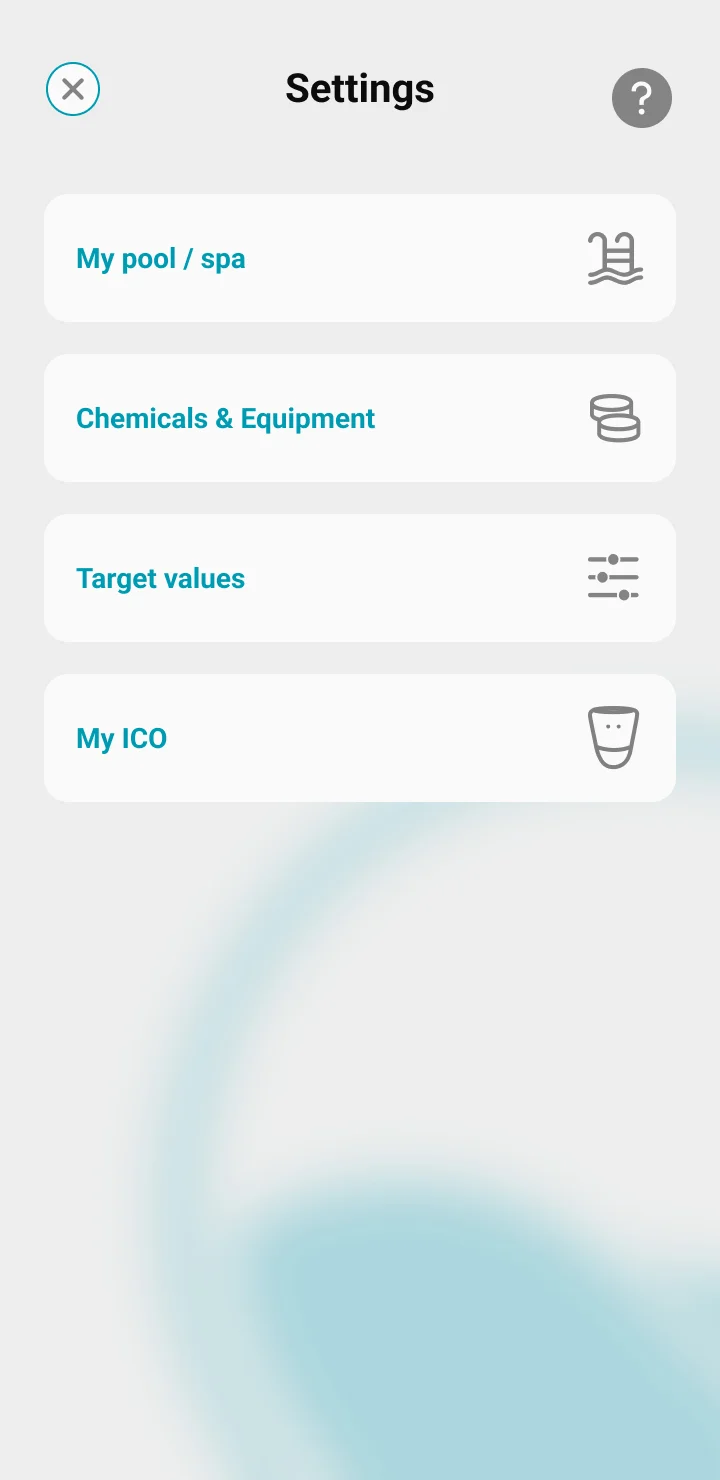
There are two ways of setting the target values :
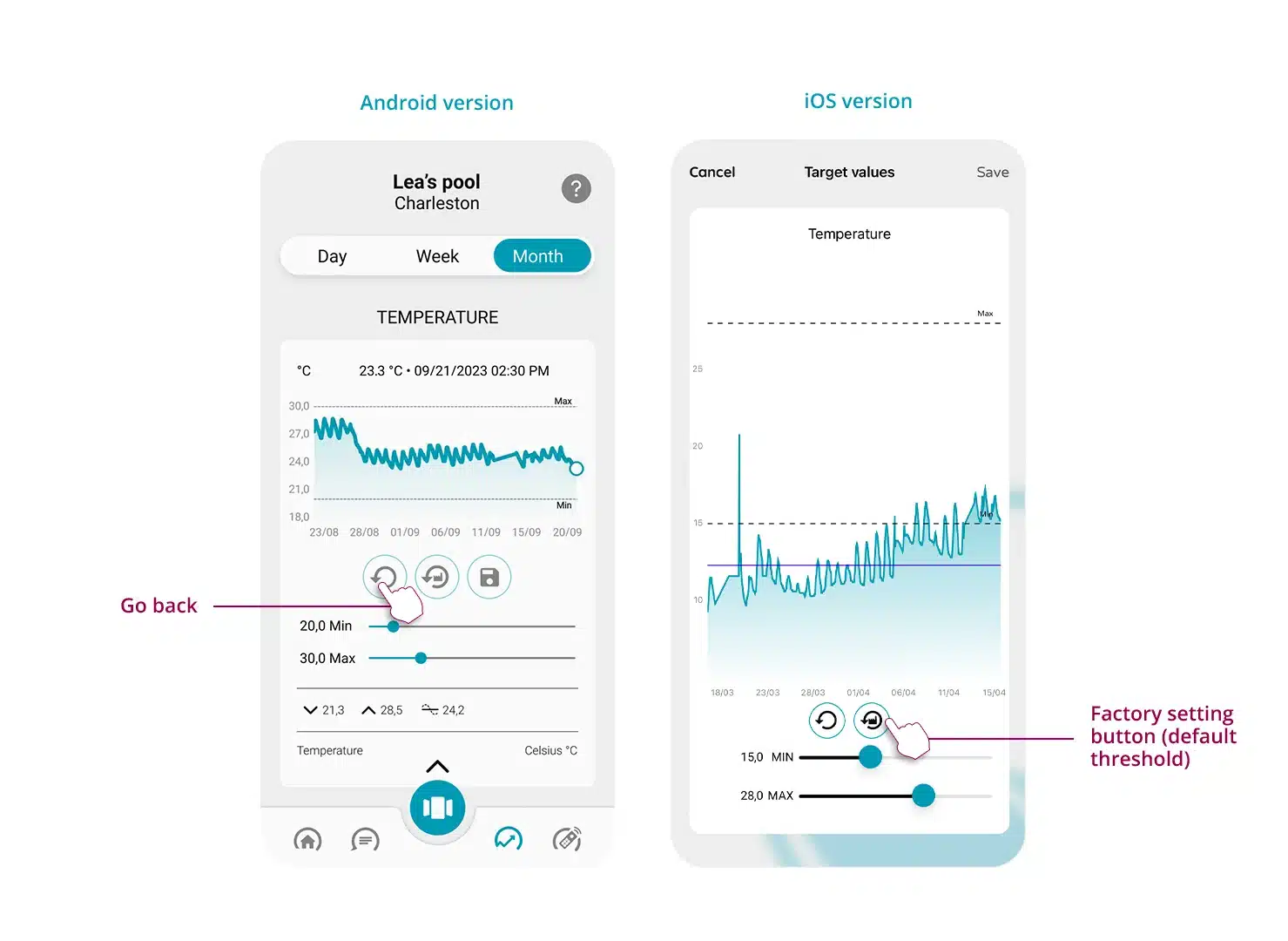
To go back or restore the factory settings (default thresholds) :
You want to display the volume in m3 or in liter, the water temperature in C° or F°, the salt in g/L...? Customize the units of measurement according to your choice from the application settings. The change will be made for all the pools you have or are following.
To learn more about the Water Index (or Bathing Index) and better understand the information available, click here.